CAD.HERO
A platform built to support all types & sized architecture design firms in boosting their automation rate.
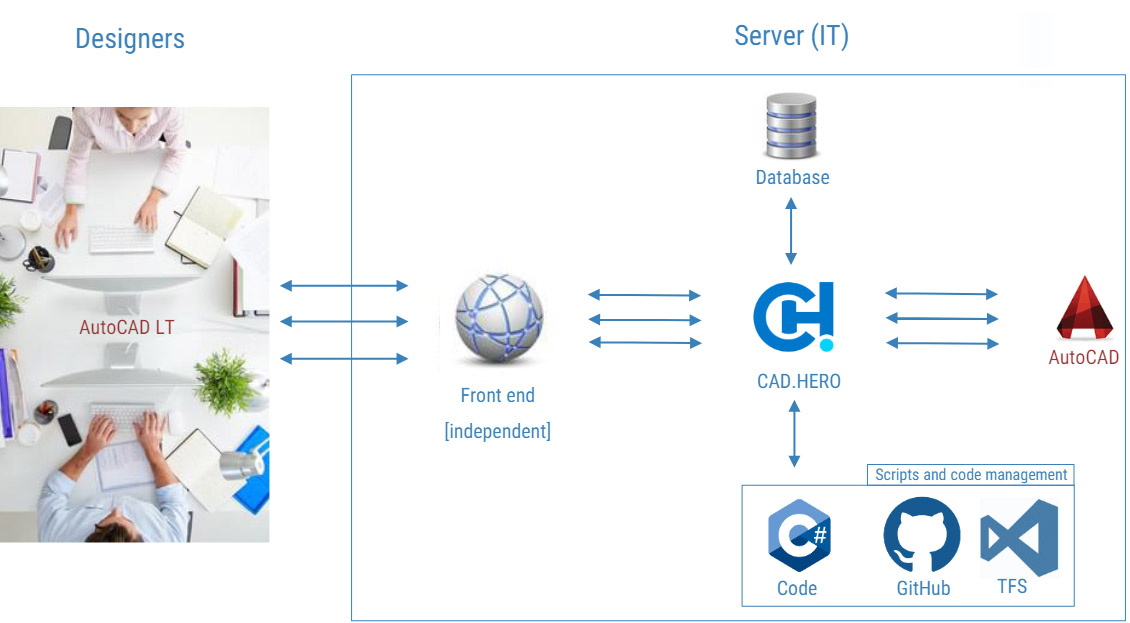
With this solution, designers can run scripts on a server (on-prem) instead of on their local workstation. This contributes to competitive advantage by simplifying the design process, saving time and significantly improving the quality of designs.
What CAD.HERO offers?
- It cuts license costs significantly. Users now can run scripts on AutoCad Lite *
- Processing time of executable scripts are 10x faster
- Designer doesn’t need to stop working while waiting for an executable script to finish.
- It also reduces the failure rate of executable scripts to almost zero
- Jobs are running in parallel hence multiple users can use the service at the same time.
- This results in more effective working processes without any bottlenecks.
- Customizable front-end website to browse / manage these executable scripts
- Central error management and automatic error handling
- Automatic scanning to database which manifests into a more sophisticated reporting and data analysis
What do we mean by Executable scripts?

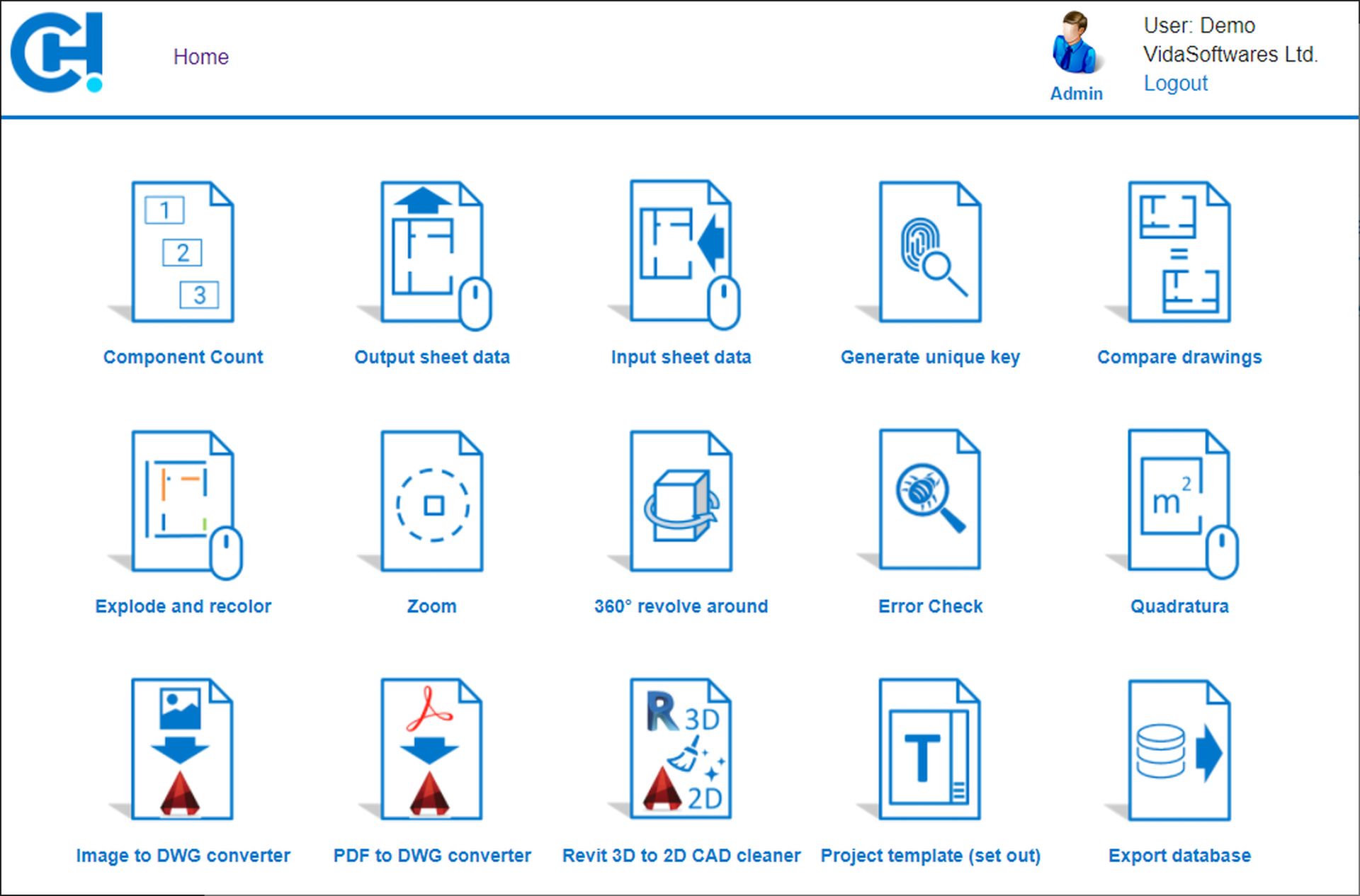
Executable scripts can also be called Scripts are programs written in C# maintained on the back end that the Lite Users will run against their drawings on the front end. Let s see some basic (low effort) examples which could be made as scripts.
- Project Templates: You can apply your company drawing template on any drawing with a click of a button. This template could show you for instance the version control information, company logo, reports such as the total Square Feet of all the spaces, ownership information, etc.
- Recolor: Changes the colour of all objects and layers.
- Explode: Brakes objects of a drawing apart to prevent unauthorized copies.
- Compare drawings: After its applied on two drawings, it tells you if they are the same or not.
- Output and input sheet data: You can change certain attributes of certain objects (e.g. blocks) in bulk with a spreadsheet.
- Component Count: This is a simple report that will give you the list of objects and their counts. This could either be shown
on the front end website, a spreadsheet, a pdf, or any other documents of your choice.
Note: CAD.HERO supports VBA scripts as well.
What do we mean by Front-End?
- Front-End is where the users will browse and run scripts.
- Out of the box CAD.HERO comes with a website written in ASP.net.
- This landing page is fully customizable.
- Customers can also plug in their own company website or SharePoint or any other
- desktop or mobile application to the CAD.HERO back end if required.